Interactive Email Inspiration Platforms: Where to Find AMP, Gamification, and Advanced Design Patterns
Interactive email is no longer just a novelty for experimental brands. For email designers, lifecycle marketers, CRM teams, and growth teams, it is becoming a practical way to reduce friction, collect preferences, increase product discovery, and make routine campaigns feel more useful inside the inbox. The challenge is that many inspiration sources still focus on static screenshots, polished hero sections, and surface-level aesthetics. That is helpful for visual direction, but it rarely shows how an interaction works, how it degrades, or whether it can be adapted into a responsive, accessible campaign.
That is why interactive email inspiration needs a more rigorous approach. A strong example is not just an attractive carousel, quiz, poll, or gamified module. It is a pattern you can evaluate, simplify, brief, test, and ship. The best email inspiration platforms help you see more than the finished visual. They help you understand the purpose of the interaction, the hierarchy of the content, the behavior on mobile, the fallback for unsupported clients, and the design tradeoffs that make the concept viable.
See also: email design inspiration by industry
This guide outlines how to evaluate interactive inspiration platforms, what AMP and advanced UI patterns are worth studying, and how to turn compelling examples into campaign-ready ideas for newsletters, lifecycle journeys, promotions, product education, and re-engagement flows.
Why interactive email inspiration matters now
Traditional email galleries are useful when you need ideas for color palettes, hero compositions, typography pairing, product grids, or CTA styling. But interactive email asks a different set of questions. Instead of only asking, “Does this look good?” teams need to ask, “What action does this help the subscriber complete without leaving the inbox?”
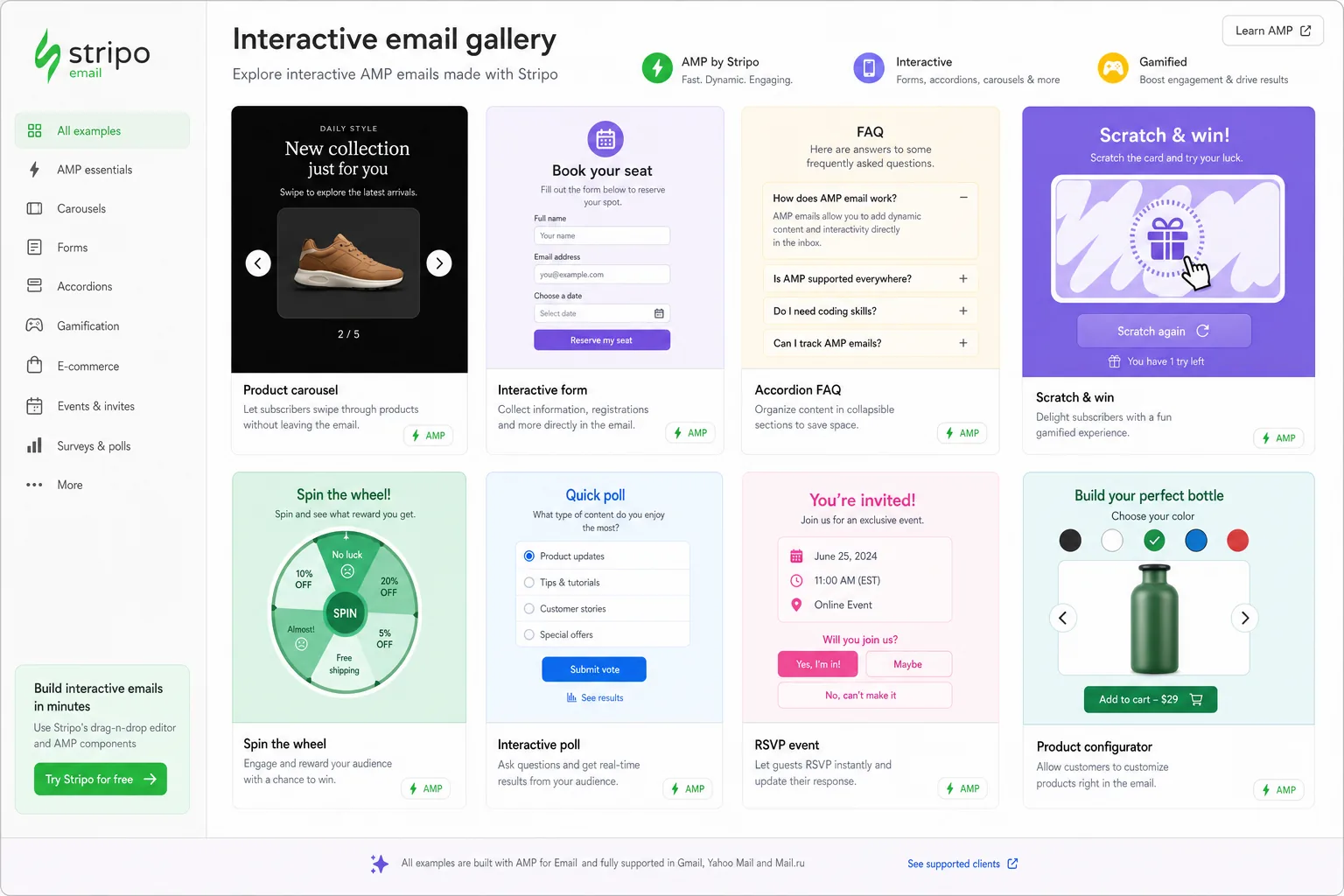
Interactive email inspiration is valuable because it reveals patterns that solve specific friction points. A poll can collect a preference in one tap. An accordion can make a content-heavy newsletter easier to scan. A product selector can help subscribers explore options before clicking through. A quiz can turn education into an active experience. A gamified progress bar can make a loyalty message or re-engagement prompt feel more motivating.
The most useful examples show how interaction supports the message rather than distracting from it. A carousel that hides the primary offer may look impressive but weaken conversion clarity. A quiz with too many steps may feel engaging in a prototype but burdensome in a promotional email. A countdown timer may create urgency, but only if the surrounding copy explains what is ending and why the subscriber should care.
When reviewing an inspiration platform, look for examples that help you evaluate four practical factors:
- Clarity of interaction: The subscriber should immediately understand what can be tapped, selected, opened, or changed.
- Accessibility: The design should preserve readable copy, sufficient contrast, logical sequencing, and a usable experience for subscribers who cannot access the enhanced version.
- Responsiveness: The interaction should still make sense on small screens, with tap targets, spacing, and typography designed for mobile.
- Client feasibility: The concept should include or imply how it works in supported clients and what appears when AMP, advanced CSS, or dynamic behavior is unavailable.
For a site like Email Design Inspirations, the value is not simply collecting beautiful email designs. The value is helping teams interpret what makes those designs useful and adapt them into reliable campaigns that respect inbox limitations.
What to look for in an email inspiration platform
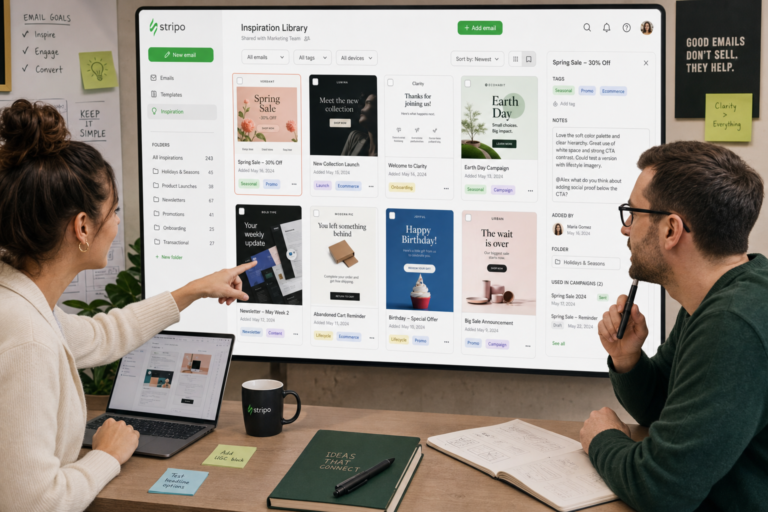
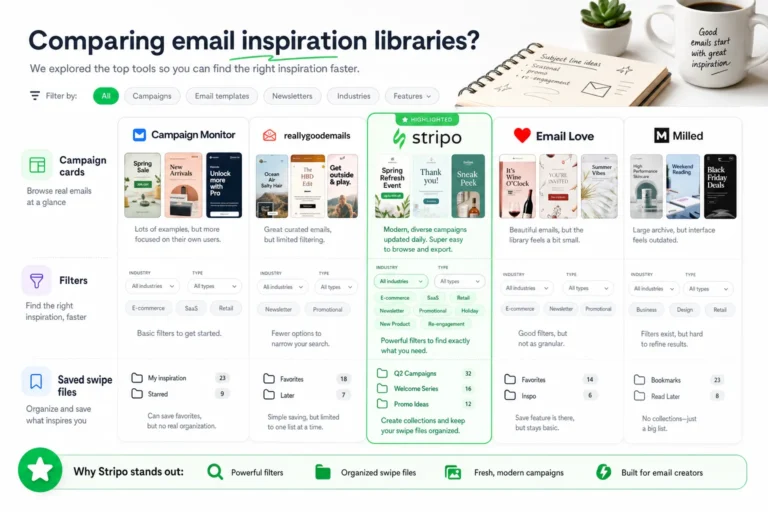
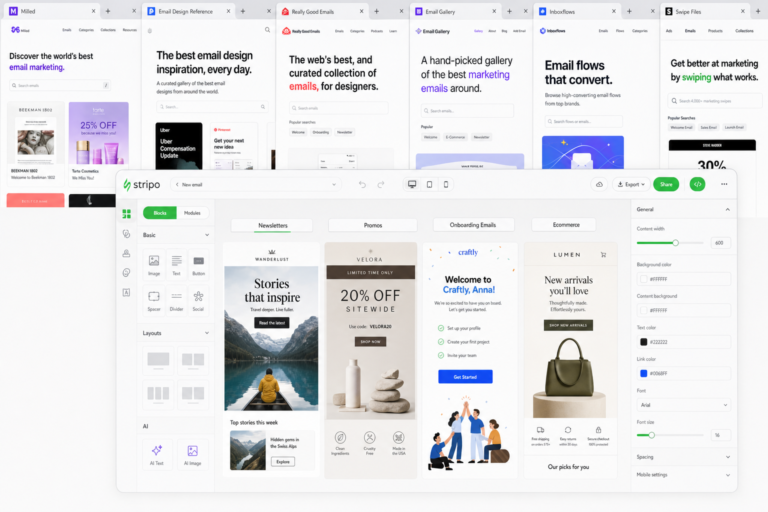
Not every email gallery is built for interactive research. Some are visual mood boards. Others are teardown libraries, code-focused repositories, competitive research tools, or curated swipe files. For interactive ideas, the best platform is the one that helps you move from admiration to implementation.
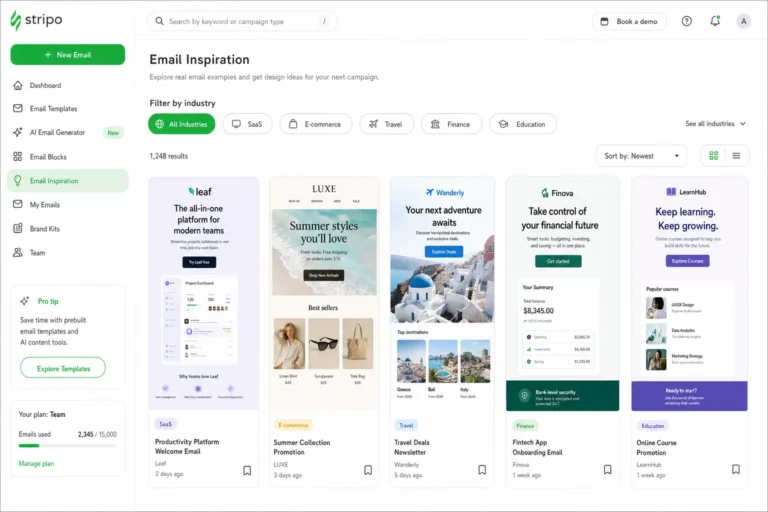
Start with search and filtering. A useful platform should make it easy to find examples by interaction type, such as forms, polls, quizzes, carousels, accordions, image hotspots, product pickers, or gamified rewards. It should also support practical campaign contexts: welcome emails, browse abandonment, product launches, seasonal promotions, newsletters, loyalty updates, onboarding, surveys, and win-back campaigns. Interaction patterns rarely exist in isolation; the use case determines whether the pattern is appropriate.
Client compatibility is another important filter. AMP-powered examples, for instance, are not equivalent to CSS-only interactive modules or animated GIF-based illusions. A platform does not need to provide full engineering documentation, but it should make it clear when an idea depends on AMP for Email, when it can be approximated with HTML and CSS, and when it is primarily a visual effect rather than a true in-email interaction.
Visual documentation matters as well. Static screenshots can miss the point of an interactive module if they only show one state. Look for platforms that capture multiple states: before selection, after selection, expanded views, completion states, error states, and fallback views. If a quiz has three questions, a single hero screenshot tells you almost nothing about pacing, CTA language, or how progress is communicated.
When assessing examples, pay close attention to the surrounding design system:
- Typography: Does the example use type size, weight, and spacing to make the interaction understandable at a glance?
- Hierarchy: Is the interactive area clearly subordinate to the main message, or does it overwhelm the email?
- CTA placement: Is there always a visible next step, especially after the subscriber interacts?
- Fallback behavior: Is there a sensible static version for clients that do not support the enhanced experience?
- Content density: Does the module reduce complexity, or does it add more decisions than the subscriber needs?
The key is to separate polished showcases from reusable references. A visually stunning email may be difficult to adapt if the interaction relies on a narrow client environment, heavy production effort, or a concept that only works for a specific brand voice. A simpler example with clear states, strong hierarchy, and a practical fallback may be more valuable for your team’s swipe file.
The most useful interactive email patterns to study
When browsing for interactive email inspiration, focus on patterns that can support repeatable marketing goals. The following categories are especially useful because they can be adapted across newsletters, lifecycle journeys, promotional campaigns, and retention programs.
AMP-powered forms and preference capture
Forms inside email can reduce the distance between intent and action. Instead of sending subscribers to a landing page for every small input, an AMP-powered form can collect preferences, RSVPs, ratings, or survey responses directly in the inbox. This pattern is useful for onboarding, zero-party data collection, product feedback, event registration interest, and content personalization.
The main design constraint is clarity. The form should ask for only what is necessary, use concise labels, and provide a clear completion state. If AMP is unavailable, the fallback should still move the subscriber toward the same goal, usually with a button that opens a hosted form or preference page.
Product selectors and add-to-cart-style interactions
Product selectors let subscribers compare options, choose sizes, select categories, or reveal recommendations before clicking through. In ecommerce, this can make promotional emails feel more like guided shopping experiences. In SaaS or media, similar logic can help subscribers choose a use case, plan type, topic, or content path.
These modules work best when the number of choices is limited. Too many options create decision fatigue, especially on mobile. Study how examples use cards, toggles, radio-style choices, and visual states to make selection obvious. Also note whether the final CTA updates based on the selection or remains a general click-through.
Surveys, quizzes, and polls
Polls and quizzes are among the most adaptable interactive patterns. A one-question poll can increase participation in a newsletter. A short quiz can educate subscribers about product fit. A survey can help segment lifecycle messaging. The best examples make the first action feel effortless and immediately meaningful.
For design, look at question length, answer spacing, progress indicators, and result framing. If the quiz is primarily a click-through experience, it still needs to feel rewarding before the landing page. If it is AMP-powered, it should show a confirmation, next step, or dynamic result state that tells the subscriber their input mattered.
Countdowns, live content, and urgency modules
Countdowns and live content can help promotional emails stay timely. They are useful for event reminders, limited-time offers, product drops, shipping deadlines, and registration cutoffs. However, they are also easy to overuse. The strongest examples pair dynamic urgency with explicit value: what is ending, what the subscriber gains, and what action should happen now.
Implementation constraints include image caching, client support, time zone handling, and fallback images. From a design perspective, the countdown should support the CTA rather than compete with it. If the timer is the loudest element but the offer is unclear, the email may create pressure without persuasion.
Accordions, reveal modules, and image hotspots
Accordions and reveal patterns help organize dense content. They are especially useful for FAQs, onboarding education, feature comparisons, event agendas, recipe steps, and editorial newsletters. Image hotspots can work for product education, feature callouts, travel content, or style guides, where subscribers benefit from exploring specific parts of an image.
The primary constraint is discoverability. Subscribers need visual cues that something can be expanded, tapped, or revealed. Use clear labels, icons, spacing, and fallback layouts. If the hidden content is essential, do not hide it only inside an unsupported interaction. The fallback version should expose the most important information in a readable static format.
For more context, Smashing Magazine offers additional background on this topic.
See also: email design inspiration libraries
Gamification mechanics and reward framing
Gamification does not have to mean complex games inside email. Often, the most practical patterns are simple: progress bars, scratch-card-style reveals, spin-to-reveal concepts, challenge checklists, streak messaging, reward tiers, or mystery offer framing. These mechanics are useful for loyalty programs, referrals, seasonal promotions, win-back campaigns, and onboarding milestones.
The risk is novelty without purpose. Study whether the example makes the reward, rules, and next step clear. A gamified module should not obscure the offer. It should make the value feel more engaging while still preserving a direct CTA and a static fallback for subscribers who cannot access the enhanced experience.
How to translate inspiration into an accessible, responsive email
The safest way to adapt an interactive idea is to treat the inspiration as a pattern, not a blueprint. Start by identifying the campaign goal. Are you trying to collect a preference, increase product discovery, drive a sale, educate a new user, or reactivate an inactive subscriber? The interaction should make that goal easier, not simply make the email feel more advanced.
Next, define the minimum useful version of the concept. If you are inspired by an AMP quiz, the minimum version might be a three-answer question that links to different landing pages. If you like an interactive product carousel, the minimum version might be a stacked mobile-first product module with clear category CTAs. If you like a gamified reveal, the minimum version might be a static mystery offer panel with a single button.
This fallback-first mindset improves both accessibility and production efficiency. Instead of designing a complex enhanced state and then rushing the fallback, design the static experience first. Make sure it communicates the offer, key information, and CTA without interactivity. Then layer the enhanced interaction on top for clients that support it.
Responsive design choices are critical. Many interactive examples look impressive in a desktop screenshot but become cramped on a narrow screen. Use generous tap targets, avoid tiny controls, keep answer choices short, and ensure the CTA is visible without excessive scrolling. If an interaction requires horizontal movement, such as a carousel, provide clear cues and do not hide essential content off-screen.
Typography and color also carry more responsibility in interactive modules. Labels need to be readable. Selected and unselected states need sufficient contrast. Error, success, and confirmation messages should be visually distinct but not dependent on color alone. If a subscriber cannot perceive a color change, they should still understand what happened through text, shape, iconography, or layout change.
A practical adaptation workflow looks like this:
- Define the email goal: State the action the interaction should make easier.
- Identify the pattern: Name the interaction type, such as poll, accordion, selector, quiz, or reveal.
- Design the static fallback first: Confirm the message works without enhanced behavior.
- Map interactive states: Document default, active, selected, completed, and error states where relevant.
- Check mobile hierarchy: Ensure the headline, module, and CTA remain clear on small screens.
- Plan QA early: Decide which clients, devices, and fallback scenarios must be tested before build begins.
Interactive email works best when the enhanced experience is treated as progressive improvement. The subscriber should never need the most advanced version of the email to understand the message or take the primary action.
Where authoritative guidance should shape your implementation
Inspiration platforms can show what is possible, but implementation should be shaped by standards, client support, and accessibility guidance. This is especially important for AMP email examples because AMP introduces specific requirements, component limitations, validation rules, and sender approval considerations. Leave space in your briefing process for one authoritative citation, such as official AMP for Email documentation, current email client support references, or recognized accessibility guidance.
Use that guidance to validate assumptions before the design becomes too detailed. For example, confirm whether the interaction you want is allowed within the email environment, whether the relevant components are supported, and what restrictions apply to scripts, forms, dynamic data, or external resources. An example in a gallery may demonstrate the desired experience, but your production context determines whether that experience is realistic.
Client support should influence both concept selection and visual design. If only a portion of your audience can receive the enhanced version, the fallback cannot feel like a broken or secondary experience. It should look intentional. That may mean using the same headline, imagery, copy structure, and CTA language across both versions, while reserving the interaction for subscribers in compatible clients.
Accessibility considerations should also be addressed before build. Interactive areas need clear instructions, logical reading order, meaningful labels, and enough visual contrast. Avoid relying only on hover behavior, color changes, or hidden content that cannot be accessed in some environments. If an accordion contains essential legal, pricing, or product information, make sure that information is still available in a non-interactive version.
Compliance and data handling also matter when an email collects input. If you are using forms, surveys, or preference capture, align with your organization’s privacy, consent, and data retention practices. The design may begin as interactive email inspiration, but once it gathers subscriber information, it becomes part of your data experience and should be reviewed accordingly.
A repeatable process for building your own interactive email swipe file
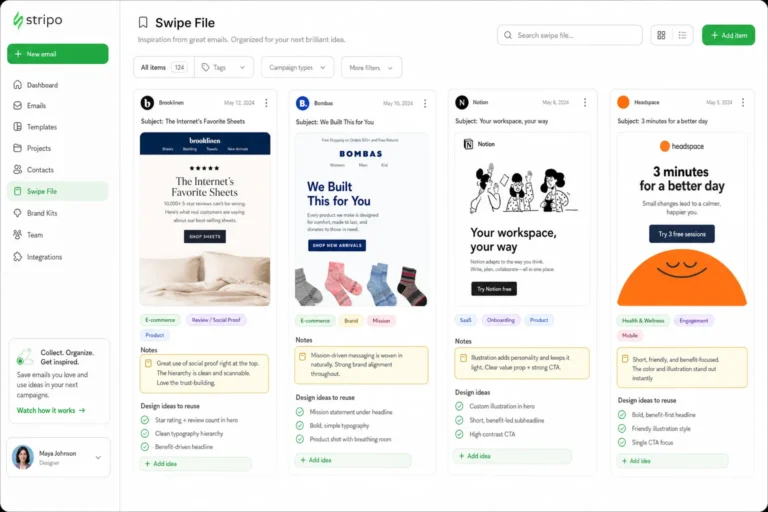
A useful swipe file is more than a folder of screenshots. It is a structured research tool that helps your team find, evaluate, and adapt ideas quickly. For interactive email, structure matters even more because you need to track behavior, fallback risk, and production complexity in addition to visual style.
Start by tagging each example by interaction type. Use labels such as AMP form, poll, quiz, product selector, carousel, accordion, live content, countdown, hotspot, reward reveal, progress bar, or preference capture. Then tag by campaign goal: collect data, drive purchase, educate, onboard, reactivate, announce, cross-sell, retain, or gather feedback. This makes the swipe file searchable when a brief arrives with a specific objective.
Add a client-risk tag as well. A simple three-level system is enough for most teams:
- Low risk: The idea can work as a static or lightly enhanced responsive module.
- Medium risk: The idea depends on CSS behavior, dynamic assets, or careful fallback planning.
- High risk: The idea depends on AMP, advanced interactivity, complex data handling, or limited client support.
For every saved example, write short notes that explain why it is useful. Do not only describe the visual. Capture the pattern behind it: “One-question poll placed above the fold with immediate feedback,” “Accordion reduces FAQ length while keeping pricing CTA visible,” or “Reward progress bar reframes win-back offer as an achievable milestone.” These notes make the example reusable even if the original design style does not fit your brand.
Also document layout and copy details. Note the headline structure, CTA language, supporting microcopy, spacing, number of choices, mobile stacking behavior, and fallback idea. If your platform allows it, save multiple screenshots or states so future reviewers can understand the full interaction.
Use a weekly review process to keep the file active. A simple checklist can prevent the team from collecting novelty-only ideas:
- What subscriber problem does this interaction solve?
- Which campaign type could realistically use this pattern?
- What is the simplest static fallback?
- Would the CTA remain clear on mobile?
- What accessibility issue would need attention?
- How risky is the concept for our audience and email client mix?
- What part of the example is worth adapting: layout, copy, behavior, hierarchy, or reward framing?
When a new campaign brief begins, review the swipe file by goal first, not by aesthetics. If the goal is preference collection, look at forms, polls, and selectors. If the goal is education, look at accordions, quizzes, and hotspots. If the goal is re-engagement, look at reward framing, progress mechanics, and mystery reveal concepts. This keeps interactive email inspiration tied to strategy rather than decoration.
Finally, turn promising examples into team-ready mini-briefs. Each mini-brief should include the campaign goal, target audience, interaction pattern, static fallback, key content blocks, CTA strategy, mobile considerations, accessibility notes, and testing requirements. This is the point where inspiration becomes operational. It gives designers, developers, CRM managers, and stakeholders a shared reference that is specific enough to act on without copying the original example.
Interactive email will continue to evolve, but the core evaluation principles will remain the same. Look for patterns that make the inbox experience clearer, faster, and more useful. Study how strong examples manage hierarchy, typography, layout, color, and calls to action. Then adapt those ideas with accessibility, responsiveness, and client constraints in mind. Used this way, your inspiration sources become more than galleries; they become a practical system for shipping better email campaigns.
See also: email design inspiration platforms