Email Design Inspiration Libraries: How Marketers and Designers Use Them to Build Better Campaigns
Modern email teams are expected to produce more campaigns, more variations, and more lifecycle messages without letting quality slip. That pressure affects everyone in the workflow: the marketer writing the brief, the designer shaping the visual system, the CRM manager mapping segments, and the developer making sure the final campaign works across inboxes. Email design inspiration libraries help solve a practical problem in that workflow: they reduce the time it takes to move from a blank page to a well-structured creative direction.
For marketers and designers, an inspiration library is not just a gallery of attractive emails. Used well, it becomes a research tool, a pattern library, a benchmarking resource, and a shared language for campaign planning. It helps teams compare how different email types use hierarchy, typography, color, spacing, imagery, and calls to action. More importantly, it helps teams translate proven design patterns into original, brand-appropriate, accessible, responsive campaigns.
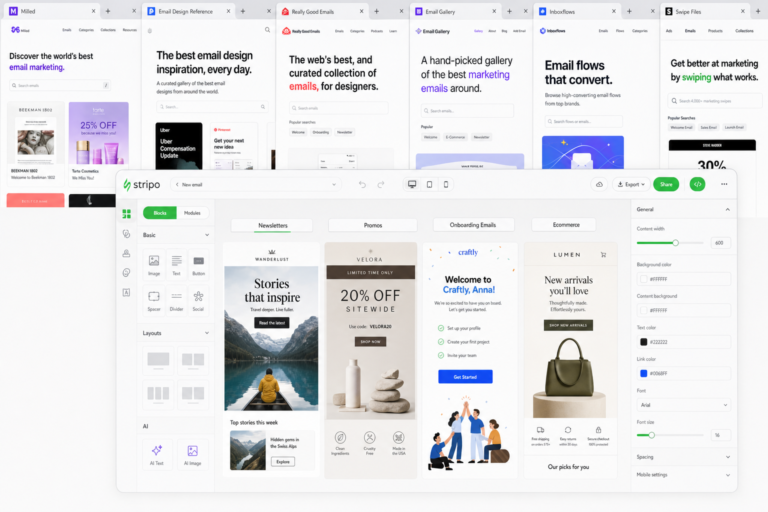
See also: email design inspiration platforms
The goal is not to copy what another brand has done. The goal is to understand why a layout works, what role each module plays, and how those ideas can be adapted to a different audience, message, offer, lifecycle stage, and production environment. That is where curated libraries, such as those built for email designers and lifecycle marketers, become especially valuable: they give teams a faster way to see options, discuss tradeoffs, and build better campaigns with fewer rounds of guesswork.
Why Email Design Inspiration Libraries Matter in Modern Email Workflow
Email production has become more complex. A single campaign may need desktop and mobile versions, dark mode considerations, accessibility checks, localization, personalization rules, dynamic content, and multiple audience segments. At the same time, teams often have less time to concept, design, approve, build, and QA each send.
This is where email design inspiration libraries create leverage. They help teams answer practical creative questions earlier in the process:
- What type of layout fits this campaign goal?
- How much copy can the email support before it feels dense?
- Should the primary CTA appear above the fold, after the value proposition, or repeated in multiple modules?
- Would a product grid, editorial layout, hero-led design, or single-message format work best?
- How are similar messages structured across different categories or lifecycle stages?
Instead of starting from a blank canvas, teams can begin with visual evidence. A marketer can point to a reference and say, “This is the kind of hierarchy we need, but with a shorter hero and stronger product education.” A designer can respond with a brand-safe interpretation. A CRM manager can evaluate whether the structure fits the audience segment and customer journey. The library becomes a shared reference point that reduces ambiguity.
Inspiration libraries also help teams spot repeatable patterns. For example, many strong promotional emails use a simple sequence: offer-led headline, concise support copy, clear product or benefit imagery, primary CTA, secondary proof or urgency module, and a final CTA. A newsletter may rely more on scannable sections, editorial rhythm, and content grouping. An onboarding email may prioritize one action, one concept, and one supportive visual. Seeing these structures side by side helps teams understand the role of layout in campaign performance, even before metrics are reviewed.
For organizations with multiple stakeholders, the biggest benefit may be alignment. When strategy, copy, design, and development teams reference the same examples, creative feedback becomes more specific. Instead of subjective comments such as “make it pop” or “this feels too long,” the team can discuss measurable qualities such as CTA prominence, content density, visual hierarchy, spacing, contrast, and mobile readability.
What to Look for in a High-Value Email Design Inspiration Library
Not every gallery is useful for production work. A high-value inspiration library should support decisions, not just browsing. For email designers and marketers, the best resources make it easy to find relevant examples, compare patterns, and understand how a design might translate into a real campaign.
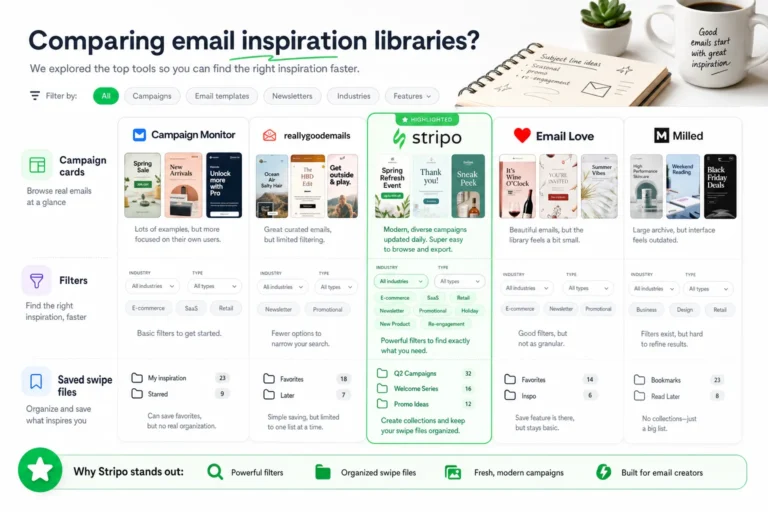
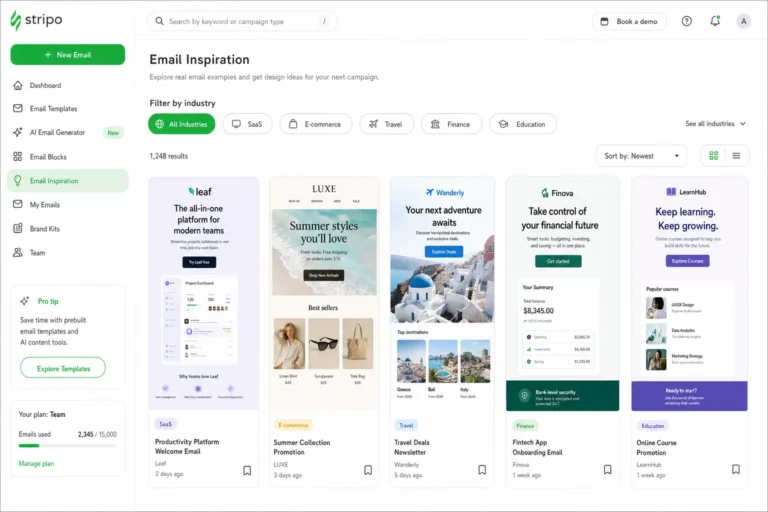
Start with filtering and categorization. A useful library should let you move quickly between email types, industries, layout styles, or campaign objectives. A lifecycle marketer planning a re-engagement sequence does not need the same references as a designer building a product launch. Clear categories help teams narrow the field and collect examples with purpose.
Freshness also matters. Email design conventions change as devices, inbox behavior, accessibility expectations, and brand systems evolve. A library with current examples gives teams a better sense of contemporary spacing, typography scale, modular design, and mobile-first composition. Historical examples can still be useful, but they should not be the only source for new campaign planning.
When evaluating email design inspiration libraries, look for these qualities:
- Strong filtering: The ability to browse by campaign type, design pattern, industry, or content format.
- Clear categorization: Labels that help marketers and designers understand why an example is relevant.
- Fresh examples: Regularly updated references that reflect current email design practices.
- Responsive previews: Enough visual context to judge how a design may behave on mobile and desktop.
- Accessible patterns: Examples that suggest readable type, logical hierarchy, adequate contrast, and sensible image-to-text balance.
- CTA variety: A range of button treatments, link styles, placement strategies, and repeated-action patterns.
- Structural clarity: The ability to see how the email is built from modules, not just how it looks as a finished image.
Context is especially important. A beautiful email screenshot is less useful if the structure is hard to interpret. Teams should be able to identify the hero section, content blocks, supporting proof, promotional modules, navigation, footer, and CTA sequence. The more clearly a library reveals structure, the easier it becomes to translate inspiration into a buildable email.
A practical test is to ask whether the library helps with three jobs: ideation, benchmarking, and collaboration. For ideation, it should help you generate directions quickly. For benchmarking, it should help you compare your planned layout against common patterns. For collaboration, it should give your team a shared visual vocabulary that makes feedback more precise.
How to Use Inspiration Libraries for Ideation, Not Imitation
The most effective teams do not use inspiration libraries as templates to copy. They use them as inputs for better creative thinking. The distinction matters. Copying another email can create brand inconsistency, weaken originality, and lead to poor strategic fit. Pattern analysis, on the other hand, helps teams understand what is working and why.
A repeatable workflow keeps the process focused:
- Define the campaign goal: Clarify whether the email should drive a purchase, introduce a product, educate a new user, recover an inactive subscriber, promote content, or move someone to the next lifecycle stage.
- Collect three to five relevant references: Choose examples that match the campaign’s objective, not just its visual style.
- Extract patterns: Look at hierarchy, imagery, copy length, CTA placement, module order, spacing, and content density.
- Separate strategy from style: Identify the underlying design decision, then reinterpret it in your own brand system.
- Create brand-safe variants: Translate the patterns into layouts, copy structures, and modules that fit your audience and campaign message.
For example, imagine you are planning a product launch email. One reference may use a large hero image with a short headline and a primary CTA. Another may use a benefits-first layout with three supporting modules. A third may use a comparison-style structure that positions the new product against an old problem. The goal is not to merge these emails visually. The goal is to decide which strategic structure best fits your message.
A useful exercise is to label each reference by function. One email might be strong because it creates immediate visual impact. Another may be strong because it explains value clearly. Another may be strong because it makes the CTA impossible to miss. Once the team identifies these functions, the designer can build an original layout that borrows the logic, not the surface treatment.
Use inspiration to identify decisions: where the eye goes first, what the reader understands next, and which action the layout encourages. Then rebuild those decisions in your own brand language.
This approach also protects the campaign from mismatched inspiration. A luxury editorial layout may look impressive, but it may not suit a short-term discount campaign. A dense product grid may work for a browse-heavy audience, but it may overwhelm a new subscriber in an onboarding flow. Good inspiration work always returns to the audience, the message, and the lifecycle moment.
Comparing Layouts, Hierarchy, and CTA Patterns Across Email Types
Different email types require different design patterns. A strong inspiration library helps teams compare these patterns before committing to a layout. The key is to evaluate each example according to the marketing objective it serves.
Newsletters
Newsletters usually need clear content grouping and a scannable rhythm. The reader may not click the first item, so the design should make multiple sections easy to browse. Look for examples that use strong section headers, consistent thumbnail sizing, readable summaries, and clear secondary links. Typography and spacing are especially important because newsletters often carry more content than promotional emails.
For more context, according to Nielsen Norman Group offers additional background on this topic.
When comparing newsletter references, ask whether the hierarchy makes the lead story obvious without burying the rest of the content. The best patterns create an editorial flow: primary feature, supporting stories, optional resources, and a final action. CTA strategy may include several text links or smaller buttons rather than one dominant conversion button.
Promotional Offers
Promotional emails often need speed and clarity. The offer, value, and action should be understood quickly. Inspiration examples in this category are useful for studying headline scale, offer framing, urgency modules, coupon presentation, and repeated CTA placement.
Compare how different designs handle the balance between emotion and transaction. Some promotional emails lead with a bold discount. Others lead with product desirability and introduce the offer as a supporting reason to act. Neither structure is universally better; the right choice depends on brand positioning, audience intent, and the complexity of the offer.
Product Launches
Product launch emails need to create interest while explaining what is new. Many strong launch layouts use a hero section, a short value proposition, feature modules, product imagery, social proof or credibility cues, and a final CTA. The challenge is avoiding too much explanation too early.
When reviewing launch references, pay attention to how imagery and copy share the workload. If the product is visually distinctive, large imagery may carry more weight. If the product solves a complex problem, modular explanation may be more important. CTA placement should support the reader’s decision path: early for high-intent audiences, repeated after feature education for more considered products.
Onboarding Emails
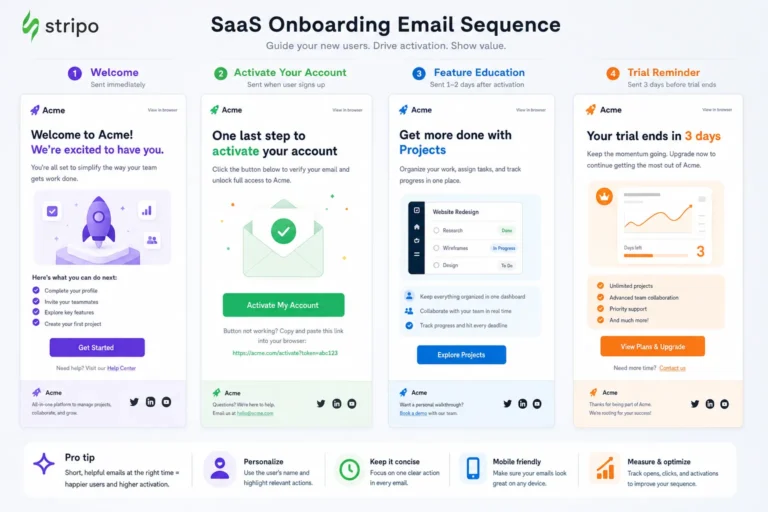
Onboarding emails should usually focus on one next step. This is where simplicity is powerful. A good onboarding reference may have a brief welcome message, one benefit-led explanation, a clear CTA, and a supporting visual that reinforces the action.
Compare onboarding examples by how well they reduce cognitive load. Dense layouts can slow users down. Multiple competing CTAs may confuse the next step. Look for patterns that make the desired action feel obvious and achievable.
Re-engagement Emails
Re-engagement campaigns need to regain attention from subscribers who have stopped interacting. Design patterns often include direct headlines, personalized framing, preference center prompts, incentive-led offers, or reminders of value. The best references make the reason to return clear without overwhelming the reader.
When evaluating re-engagement inspiration, focus on tone and CTA clarity. A playful layout may work for some brands, while a direct utility-focused message may work better for others. The CTA should match the relationship stage: shop again, update preferences, see what is new, restart a trial, or confirm continued interest.
Accessibility, Responsiveness, and Email Client Constraints to Check Before You Build
An inspirational email is only useful if the underlying idea can survive production. Email is not the same as web design. Rendering differences, image blocking, dark mode behavior, mobile constraints, and accessibility requirements can change how a design performs in the inbox. Before turning a reference into a campaign, teams should evaluate whether the pattern is practical.
Use this checklist before moving from inspiration to build:
- Mobile-first behavior: Will the layout stack cleanly on small screens? Are modules understandable when viewed in a single column?
- Readable type sizes: Are headlines, body copy, captions, and buttons large enough to read comfortably on mobile devices?
- Color contrast: Is there enough contrast between text and background colors, especially for buttons and secondary copy?
- Image-to-text balance: Does the email still communicate the core message if images are blocked or slow to load?
- Alt text planning: Which images need descriptive alt text, and which decorative images should be treated differently?
- CTA accessibility: Are buttons large enough to tap, clearly labeled, and distinguishable from surrounding content?
- Dark mode risk: Could background colors, logos, icons, or text treatments invert in ways that reduce readability?
- Email client rendering: Does the layout rely on techniques that may be inconsistent across major email clients?
- Content order: If the design stacks or is read by assistive technology, does the message still follow a logical sequence?
This is the point in the workflow where an authoritative accessibility or email client compatibility citation can support internal standards. Teams can use that reference to define minimum contrast expectations, text readability rules, and QA requirements before production begins.
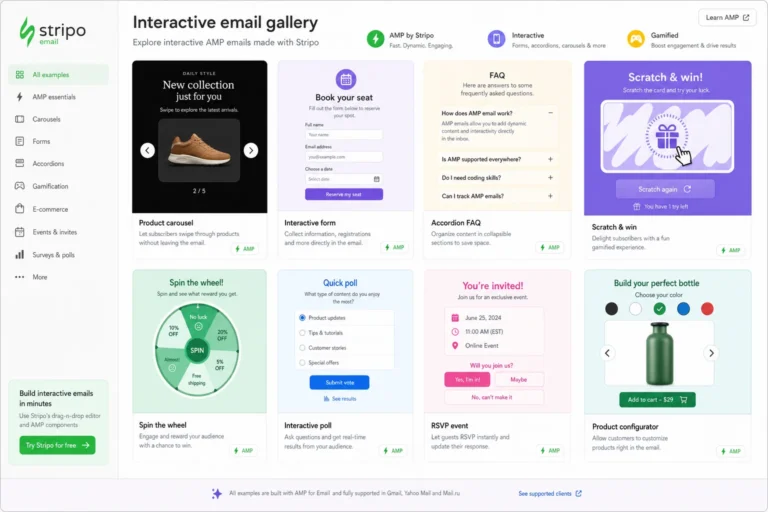
Designers should also be careful with inspiration examples that depend heavily on image-only text. While image-led designs can look polished, they may create accessibility issues and weaken the message when images are blocked. If a reference uses a typographic hero image, consider whether the same effect can be achieved with live text, a simpler background, or a hybrid approach.
Responsiveness should be evaluated at the module level. A two-column product section may look balanced on desktop but become long and repetitive on mobile. A large hero may create impact on desktop but push the CTA too far down on a phone. A complex navigation bar may collapse poorly or create tap targets that are too small. The best inspiration is not just visually appealing; it is adaptable.
A Simple Team Process for Turning Inspiration into a Faster Email Production System
Inspiration becomes more valuable when it is built into the team’s operating system. Instead of browsing only when a deadline is close, marketers and designers can use libraries throughout planning, briefing, creative review, QA, and documentation.
A simple process can look like this:
- Brief the campaign: Define the audience, lifecycle stage, primary goal, offer or message, required content, and success metric.
- Gather references: Select three to five examples from a curated library that match the campaign objective or layout challenge.
- Annotate the patterns: Note what each reference does well, such as CTA placement, modular structure, content hierarchy, or mobile-friendly spacing.
- Select a layout direction: Choose the structure that best fits the message, not simply the design that looks most attractive.
- Align copy and design: Draft copy to match the chosen hierarchy, then adjust the design so the most important message remains prominent.
- Check production constraints: Review accessibility, responsiveness, image strategy, and likely email client issues before final design approval.
- Document the final pattern: Save the approved layout, notes, and performance learnings for future campaigns.
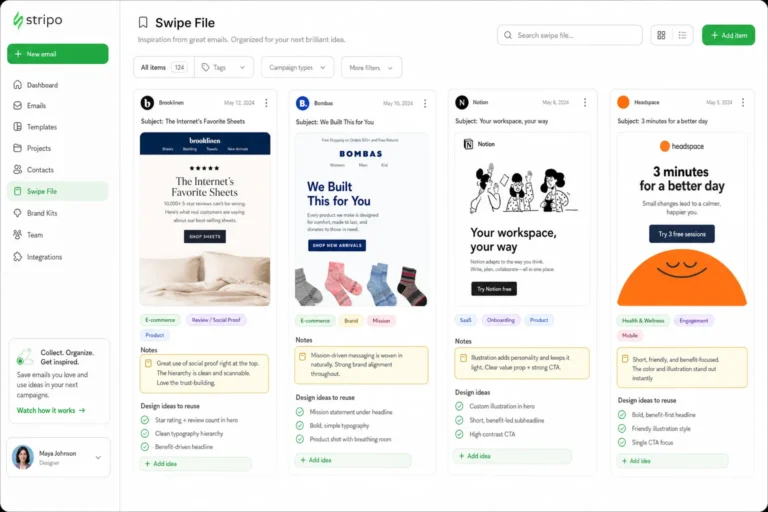
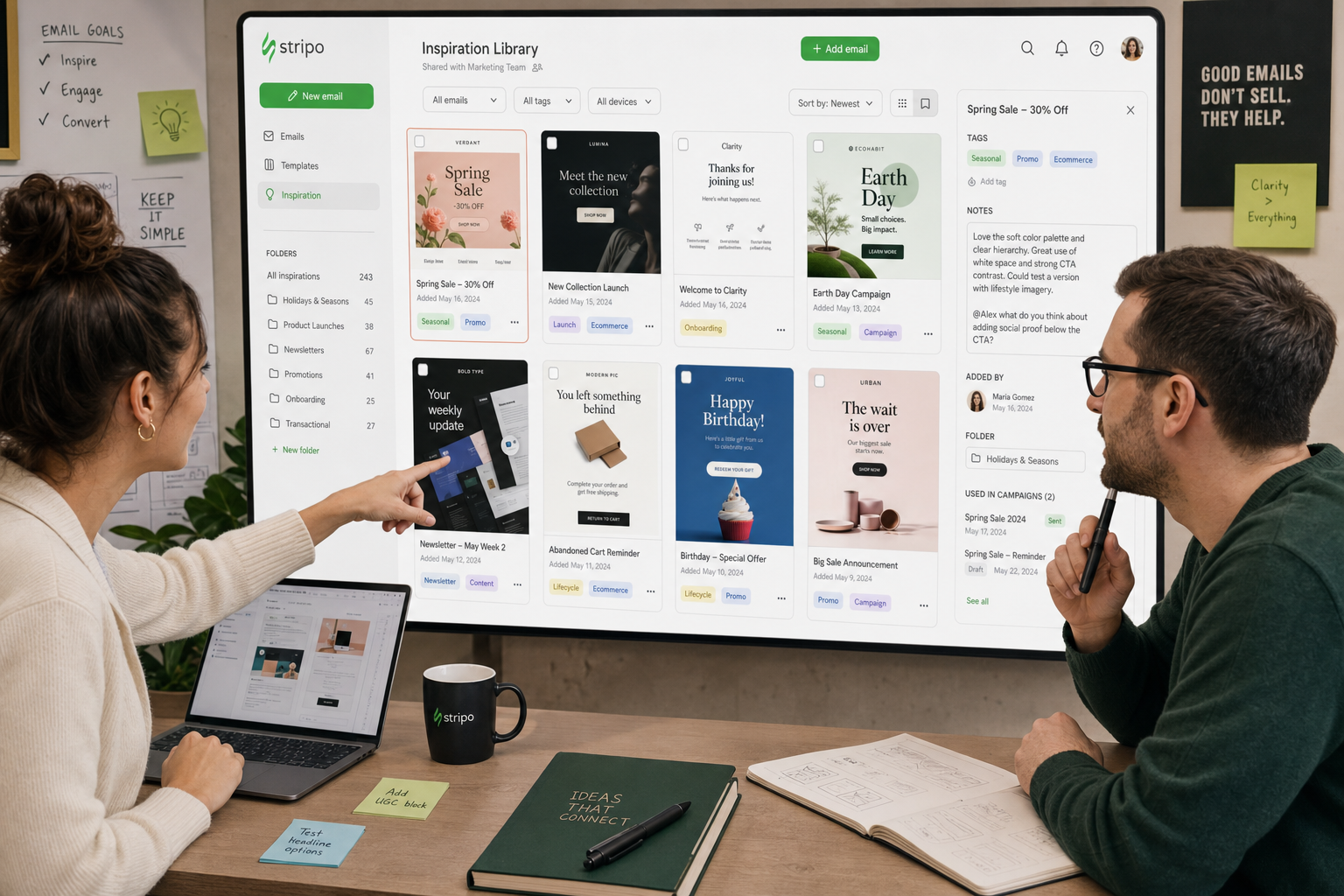
Over time, this process creates an internal swipe file that is more useful than a folder of screenshots. The team can tag examples by campaign type, objective, audience segment, design pattern, or performance note. A promotional layout that worked well for a seasonal offer may become a reference for future urgency-based campaigns. A clean onboarding structure may become the baseline for new lifecycle flows. A strong newsletter module may evolve into a reusable component.
The key is to document why a pattern was chosen. A screenshot without notes is easy to forget. A reference with annotations becomes a decision-making asset. Marketers can record the strategic reason for the structure. Designers can note layout considerations. Developers can flag production constraints. CRM teams can add segmentation or personalization notes.
This shared system improves both speed and quality. New campaigns no longer require the team to rediscover basic layout decisions. Stakeholders can review references before giving feedback. Designers can move from concept to execution faster. Developers can anticipate build complexity earlier. Most importantly, subscribers receive emails that are clearer, more consistent, and easier to act on.
For teams that want a faster way to plan and evaluate creative, curated email design inspiration libraries are a practical advantage. They help marketers and designers compare layouts, understand hierarchy, explore CTA patterns, and build campaigns that are visually strong, accessible, and responsive. Explore the curated email design inspiration libraries on Email Design Inspirations to find reference patterns, compare layouts, and build your next campaign faster.