Best Really Good Emails Alternatives for Email Inspiration: Where to Find Fresh Campaign Ideas
Really Good Emails is one of the best-known places to browse email examples, but it is not the only useful reference point for email designers, CRM teams, and lifecycle marketers. If you are searching for Really Good Emails alternatives, you are probably not looking for a replacement just for the sake of it. You likely need faster ways to find fresh examples, compare layouts across campaign types, and turn visual inspiration into accessible, responsive emails your team can actually build.
That distinction matters. A beautiful email screenshot can spark ideas, but production-ready inspiration needs more than good taste. It should help you understand message hierarchy, mobile readability, CTA placement, spacing, typography, and how the design might hold up across inboxes. For teams planning newsletters, ecommerce campaigns, onboarding flows, win-back emails, product updates, or retention programs, the best inspiration source is the one that shortens the distance between browsing and building.
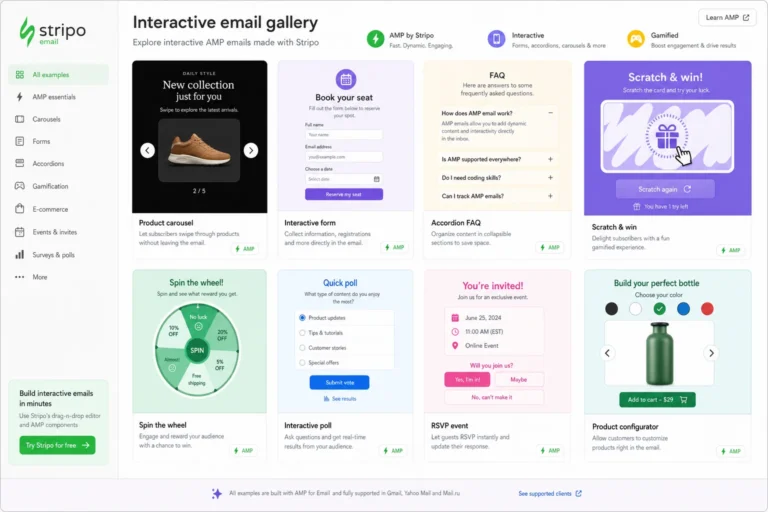
See also: interactive email inspiration
This guide compares the strongest types of Really Good Emails alternatives by use case, not just by name. The goal is to help you build a more practical inspiration workflow: one that gives you variety, better categorization, reusable patterns, and a stronger foundation for accessible email design.
Why marketers look for Really Good Emails alternatives
Really Good Emails is useful because it gives teams a quick way to browse examples from many senders and campaign types. The limitation is that many workflows need a broader set of references than one gallery can provide. Designers may want more layout variety. Lifecycle marketers may need examples of very specific automated journeys. Ecommerce teams may need promotional patterns that can be adapted quickly. In-house managers may want examples that are easier to sort, brief, and discuss with stakeholders.
The most common reason teams search for alternatives is inspiration fatigue. When the same layouts appear repeatedly in planning sessions, teams start defaulting to familiar structures: large hero image, short intro, product grid, button, footer. That format can work, but it is not always the right answer. A lifecycle email explaining a feature, a reactivation message, or a B2B newsletter often needs a different hierarchy and rhythm.
Another reason is search intent mismatch. A marketer looking for a cart abandonment email, an onboarding sequence, or a holiday sale announcement does not just need something attractive. They need to see how other emails frame the offer, introduce urgency, sequence the information, and guide the reader toward the primary action. Better filtering and more specific categories can save hours during strategy and creative planning.
Teams also look for alternatives when they need examples that translate into real builds. Some email galleries emphasize visual impact, while production teams need to know whether a concept can survive common constraints: narrow mobile screens, image blocking, inconsistent CSS support, dark mode behavior, and accessibility requirements. A gallery that helps you study structure is often more valuable than one that only shows polished screenshots.
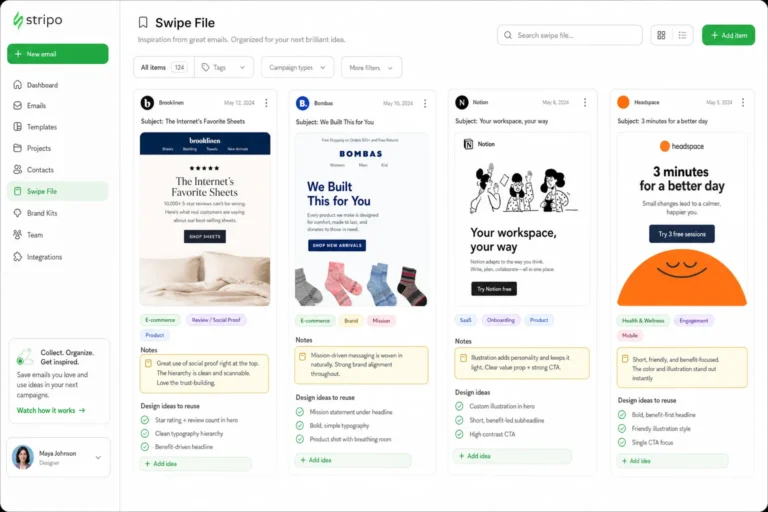
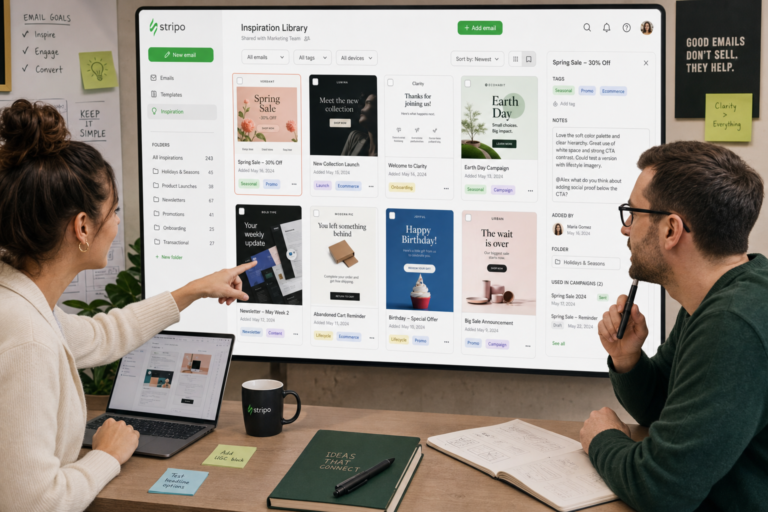
Finally, many teams want to build their own internal reference library. They may start with public inspiration sources, then save examples by campaign type, layout pattern, CTA style, content density, or accessibility pattern. In that workflow, Really Good Emails alternatives become inputs for a more tailored system, not one-off browsing destinations.
What to look for in a good email inspiration source
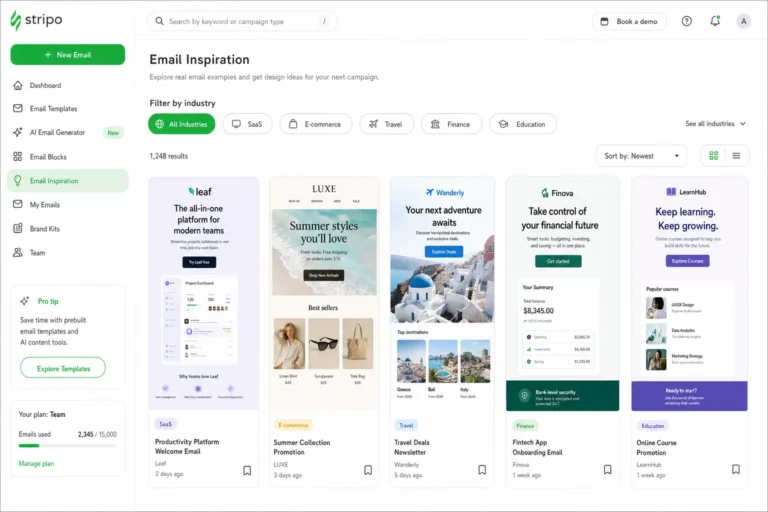
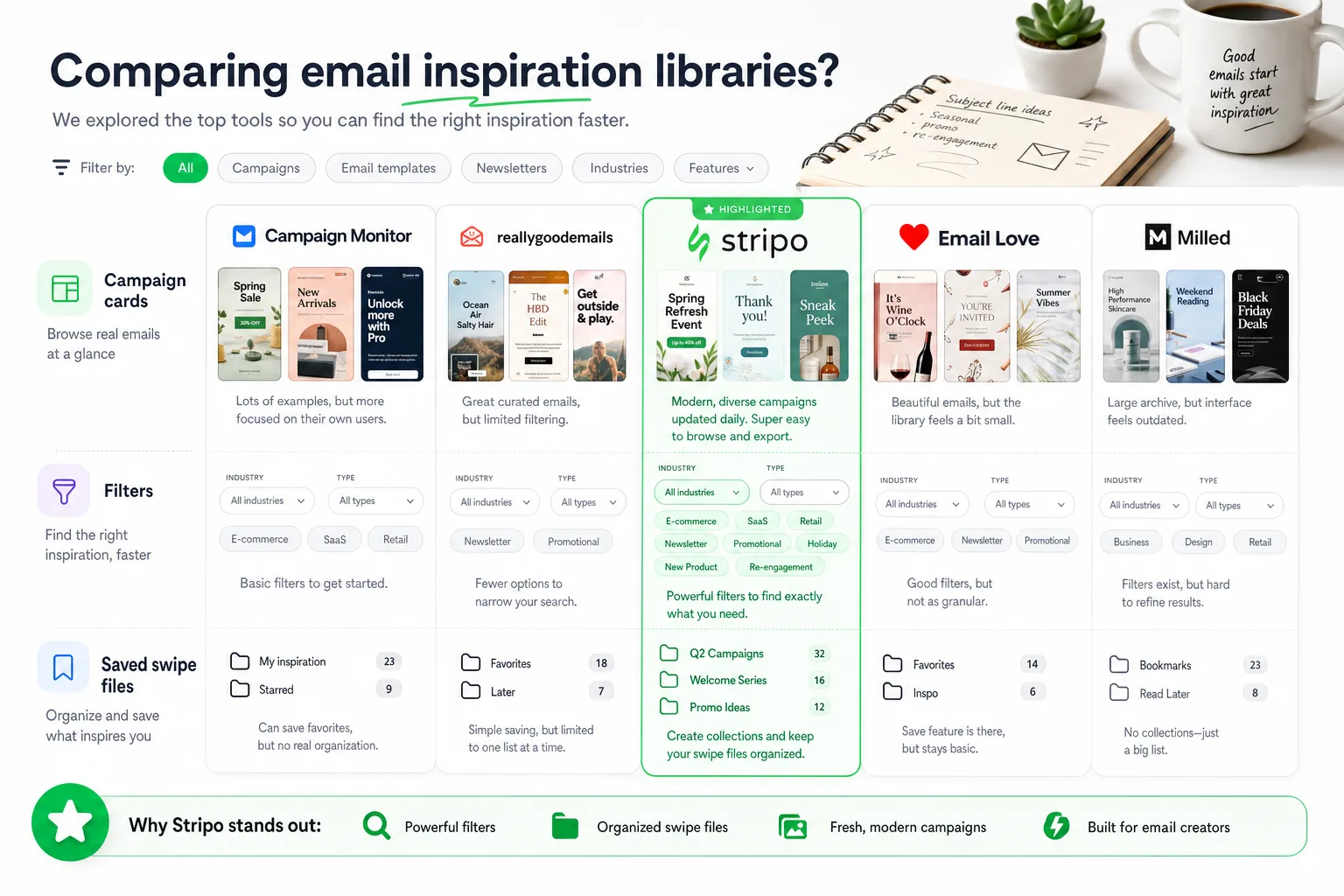
A strong email inspiration source should support both creative exploration and practical decision-making. The first thing to evaluate is categorization. Useful archives let you filter by campaign type, industry, format, purpose, or design pattern. Broad tags like “newsletter” or “promotion” are helpful, but deeper categories such as onboarding, referral, transactional, product launch, review request, event reminder, or replenishment can be much more useful during planning.
Search quality is equally important. If a gallery makes it easy to find emails by brand, keyword, sender type, or content theme, it becomes more useful for competitive research and creative briefing. Designers should be able to compare multiple approaches to the same problem instead of relying on a single attractive example.
Screenshot quality matters more than it may seem. Blurry, cropped, or incomplete captures make it difficult to evaluate typography, spacing, modular structure, and CTA treatment. A good source should show enough of the email to understand the full flow, not just the hero section. For production work, the middle and lower sections of an email often reveal the most useful decisions: how content blocks repeat, how secondary CTAs are handled, how product details are arranged, and how the footer affects the overall rhythm.
Context also improves the value of an example. Subject line, sender name, preheader, and campaign type can reveal why the creative works. A promotional email with strong urgency may rely on the subject line to set expectations, while the body focuses on product selection. A lifecycle email may use a modest visual design but succeed through clarity, timing, and a single focused CTA. Without context, teams risk judging the design without understanding the communication job it was meant to perform.
When reviewing any email inspiration site, look for signals that it can support real production work:
- Clear visual hierarchy: Can you quickly identify the primary message, supporting details, and main action?
- Readable typography: Are headings, body copy, and labels legible enough to adapt for mobile?
- Strong CTA placement: Is the primary action obvious without overwhelming the content?
- Responsive potential: Does the layout seem adaptable to a single-column mobile version?
- Accessibility awareness: Could the pattern support sufficient contrast, descriptive text, and logical reading order?
- Reusable structure: Can the idea become a module or template your team can use again?
The best galleries are not just visually interesting. They help you make design decisions. If an example cannot teach you something about sequencing, emphasis, spacing, or interaction with inbox constraints, it may be better as moodboard material than campaign planning material.
The best Really Good Emails alternatives, grouped by use case
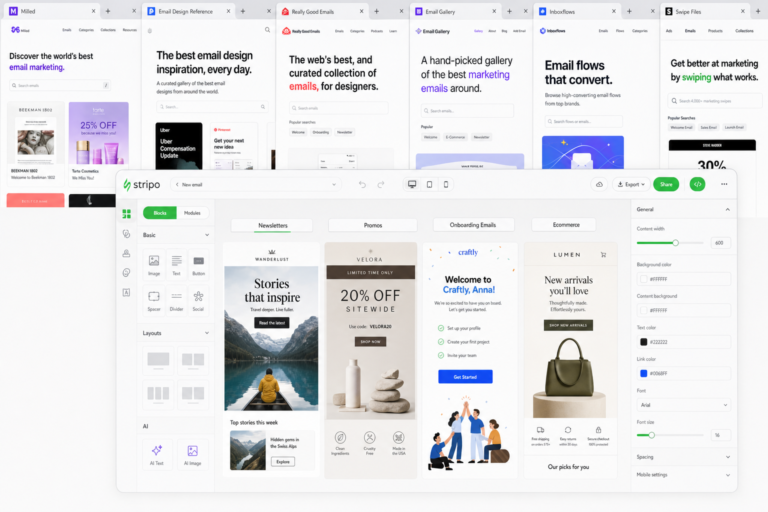
The most useful way to compare Really Good Emails alternatives is by workflow. Different sources are better for different jobs. A designer building a visual direction for a newsletter may need broad inspiration, while a CRM manager planning lifecycle automation may need examples by funnel stage. Below are the main types of alternatives worth including in your research stack.
Broad email inspiration libraries
Broad inspiration libraries are best for early-stage creative exploration. They typically collect many examples across industries, formats, and visual styles. Use them when you need to understand the range of possible approaches before committing to a layout direction.
For email designers, broad libraries are helpful for studying composition: hero treatments, image-to-text balance, modular sections, footer structures, and CTA patterns. For marketers, they can reveal how different senders frame announcements, promotions, and editorial content. The key is to browse with a question in mind. Instead of asking “What looks good?”, ask “How are these emails prioritizing the message?” or “How does this layout guide the eye from headline to CTA?”
Email Design Inspirations fits naturally into this part of the workflow for teams that want practical examples they can turn into better email systems. Rather than treating inspiration as a collection of attractive screenshots, focus on what each example can teach about hierarchy, layout, color, typography, and responsiveness.
Curated newsletter example sources
Newsletter-focused sources are useful when your team publishes regular editorial, product, community, or thought leadership emails. These examples tend to show how brands balance recurring structure with fresh content. They are especially useful for teams trying to improve scannability without redesigning from scratch every week.
Look for newsletter examples that demonstrate strong sectioning. Effective newsletters often use clear headings, compact summaries, consistent spacing, and repeated modules that readers can recognize over time. The best examples help you decide how many stories to include, how to separate primary and secondary content, and when to use a text-heavy format instead of a highly visual layout.
For lifecycle marketers, newsletter galleries can also provide ideas for digest emails, product education, customer community updates, and account-based communications. The lesson is usually not a single graphic style, but a repeatable editorial system.
Ecommerce-focused email galleries
Ecommerce galleries are useful for promotional calendars, product launches, seasonal campaigns, replenishment reminders, loyalty programs, and post-purchase communications. They often provide more relevant inspiration for merchandising, offer hierarchy, product grids, urgency cues, and discount messaging than a general gallery.
When reviewing ecommerce examples, pay close attention to how the email handles the relationship between brand and conversion. Does the design lead with lifestyle imagery, product detail, social proof, pricing, scarcity, or a clear offer? How many products appear before the first CTA? Are secondary categories included, and do they distract from the primary goal?
These examples are also helpful for studying modular design. Ecommerce teams often need flexible templates that support hero modules, product cards, testimonials, editorial blocks, countdown-style urgency, and cross-sell sections. A good alternative source should help you collect patterns your team can reuse without copying the original creative.
Lifecycle and UX email references
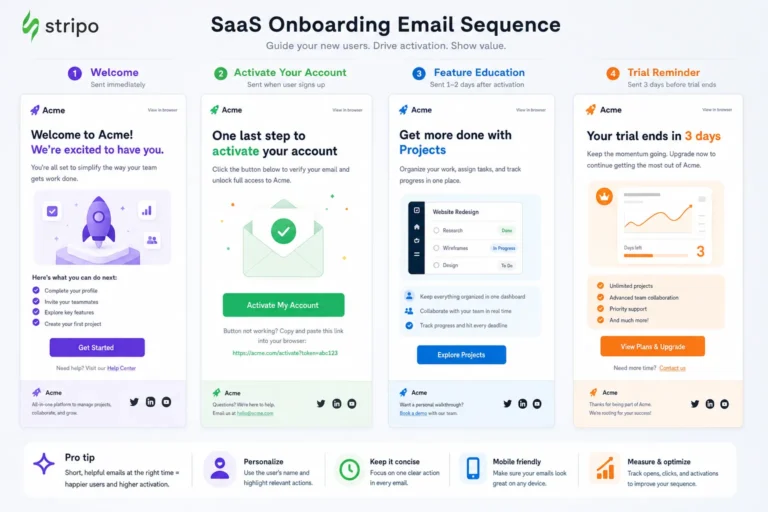
Lifecycle and UX references are especially valuable for onboarding, activation, trial conversion, feature education, upgrade prompts, retention, reactivation, and transactional messaging. These emails often succeed because of clarity rather than visual complexity. A simple message with a clear reason to act can outperform a visually rich design that buries the next step.
For more context, Nielsen Norman Group offers additional background on this topic.
When evaluating lifecycle examples, study the message goal first. Is the email trying to reduce friction, explain a benefit, confirm an action, recover intent, or create momentum? Then look at how the layout supports that goal. Onboarding emails may need one prominent action and a small amount of reassurance. Feature announcement emails may need a short explanation, a visual demonstration, and a CTA that matches the user’s stage. Win-back emails may need a stronger value reminder and a lower-friction action.
See also: email design inspiration by industry
These sources are also useful for cross-functional teams. Product marketers, designers, lifecycle managers, and copywriters can use the same reference to discuss the purpose of the email, not just its appearance.
Design pattern libraries and swipe files
Design pattern libraries are not always email-specific, but they can strengthen email work when used carefully. They help teams think in reusable components: hero blocks, cards, comparison tables, testimonial sections, pricing modules, progress indicators, and CTA groups. For email, the important question is whether a pattern can be simplified for inbox constraints.
A pattern that works on a website may not translate directly into an email client. Complex interactivity, layered positioning, unusual fonts, and delicate contrast can break or degrade. However, pattern libraries are excellent for identifying structural ideas. You can adapt a web pattern into a static, accessible email module with a logical reading order and a clear CTA.
For teams building a design system, these references help bridge creative inspiration and template governance. They make it easier to define which modules exist, when each should be used, and how much variation is allowed before the system becomes inconsistent.
How to turn inspiration into better campaigns
The biggest mistake teams make with inspiration is copying the surface. A layout, color palette, or image treatment may look appealing, but the real value is in understanding the decision behind it. To turn inspiration into better campaigns, analyze each example as a system of choices.
Start with the message goal. Before discussing design, define what the email is trying to accomplish. Is it announcing something, teaching something, selling something, confirming something, or bringing someone back? The goal determines the hierarchy. A promotional email may need a strong offer and fast CTA. A product education email may need more context. A transactional email may need clarity, reassurance, and minimal distraction.
Next, map the information hierarchy. Identify the primary headline, supporting copy, visual proof, CTA, secondary content, and footer. Ask whether the order matches the reader’s likely questions. For example, if the reader needs to understand the benefit before acting, the CTA should be supported by a concise explanation. If the offer is already obvious, a faster route to the CTA may be better.
Then review layout and spacing. Look at how the example controls attention. Strong emails usually create contrast between sections, leave enough breathing room around important elements, and avoid giving every block the same visual weight. Spacing is not decoration; it is a hierarchy tool.
CTA emphasis deserves separate attention. Count the number of calls to action and identify the primary one. A strong email can include secondary links, but the primary action should be unmistakable. Study button size, label clarity, placement, repetition, and surrounding copy. For accessible design, CTA labels should describe the action clearly rather than relying on vague text such as “click here.”
Finally, adapt the pattern to your brand system. Replace the borrowed surface with your own typography, voice, color rules, imagery, and component library. The goal is not to make your email look like the reference. The goal is to use the reference to make a stronger design decision.
A practical analysis workflow looks like this:
- Identify the campaign type: newsletter, promotional, onboarding, transactional, retention, or reactivation.
- Write the message goal: define the single most important reader action.
- Sketch the hierarchy: headline, proof, offer, CTA, secondary content, footer.
- Extract the pattern: note the reusable structure, not the brand-specific styling.
- Check constraints: mobile width, image blocking, contrast, dark mode, and email client support.
- Create a test idea: turn the observation into an A/B test or iteration hypothesis.
For example, if several onboarding examples use a single benefit-led headline followed by one product screenshot and one CTA, your test hypothesis might be: “A simpler onboarding email with one action will increase feature engagement compared with a multi-link digest.” That is how inspiration becomes strategy.
Where expert references should strengthen your research
Email inspiration should be balanced with implementation evidence. A screenshot can show what is possible visually, but it cannot always tell you whether the design is accessible, responsive, or reliable across email clients. This is where authoritative references on accessibility, responsive design, and email client support become important.
Leave space in your research process for at least one trusted standard or industry resource when evaluating design ideas. This is especially important for color contrast, font sizing, button dimensions, semantic structure, alt text, and logical reading order. An email that looks elegant in a gallery may become difficult to read if the contrast is too low, the text is embedded in images, or the layout collapses poorly on mobile.
Editorial note: add one authoritative citation here later, ideally from a recognized accessibility, responsive email design, or email client support resource.
Use external standards as a quality filter. If an inspiration example relies on pale text, tiny type, image-only headlines, or overly complex columns, treat it as a visual prompt rather than a production model. The better question is not “Can we copy this?” but “Can we adapt the useful idea in a way that is readable, accessible, and resilient?”
This is also where expert review improves team alignment. Designers may focus on visual hierarchy, developers on client support, and marketers on message performance. Bringing standards into the conversation gives the team a shared basis for decisions. It helps prevent subjective debates and keeps inspiration grounded in the realities of the inbox.
For Email Design Inspirations readers, this bridge between inspiration and implementation is essential. The best email ideas are not just attractive; they work within constraints. They respect the reader’s device, preferences, attention span, and ability to understand the message quickly.
Choosing the right alternative for your workflow
The best Really Good Emails alternatives are the ones that match your actual planning process. If your team needs fast creative direction, prioritize broad inspiration libraries with strong visual variety. If you need better campaign planning, choose sources with deeper categorization by journey stage or message type. If your work is ecommerce-heavy, include galleries that show merchandising, offer hierarchy, and product modules. If you manage lifecycle programs, collect examples that clarify onboarding, activation, retention, and reactivation patterns.
A useful workflow is to combine public inspiration with a private team library. Start by saving examples from multiple sources, then tag them according to how your team works. Useful tags might include campaign type, funnel stage, layout structure, CTA pattern, content density, visual style, accessibility concern, and reusable module. Over time, this becomes more valuable than any single public gallery because it reflects your brand’s actual needs.
During planning, review examples in a structured way. Do not ask stakeholders which email they like best. Ask which example solves the closest communication problem. Then discuss what should be adapted, what should be avoided, and what needs to change for your audience, brand, and technical constraints.
For teams that want a practical starting point, explore Email Design Inspirations for examples that can inform real campaign work, then build your own library around the campaign types, layouts, and accessibility patterns you use most. Add notes about why each example matters: the hierarchy, the CTA treatment, the mobile-friendly structure, the typography choice, or the way the content is sequenced.
Ultimately, inspiration is only valuable when it improves output. The right alternatives should help your team move faster, make sharper creative decisions, and build emails that are not only visually strong but also accessible, responsive, and aligned with the reader’s task. Use Really Good Emails as one reference point, but do not let any single gallery define your creative range. A broader, better-organized inspiration system will give you more useful ideas and better campaigns.
See also: email design inspiration libraries