Top Email Design Inspiration Platforms: Where to Find Better Examples and How to Use Them
Email teams rarely struggle because they cannot find enough examples. They struggle because they collect too many screenshots without a clear method for turning them into better campaigns. The best email design inspiration platforms do more than provide attractive visuals. They help designers, lifecycle marketers, and CRM teams study how real emails organize information, guide attention, support mobile reading, and make calls to action obvious.
For the Email Design Inspirations audience, the goal is not to copy a beautiful newsletter or promotional layout. The goal is to understand why a design works, extract the reusable pattern, and adapt it to your own message, audience, brand system, and technical constraints. A strong inspiration source should make it easier to answer practical questions: How is the hierarchy built? What happens above the fold? How much copy is needed before the CTA? Does the layout still work on mobile? Would the design survive image blocking, dark mode, or an unforgiving email client?
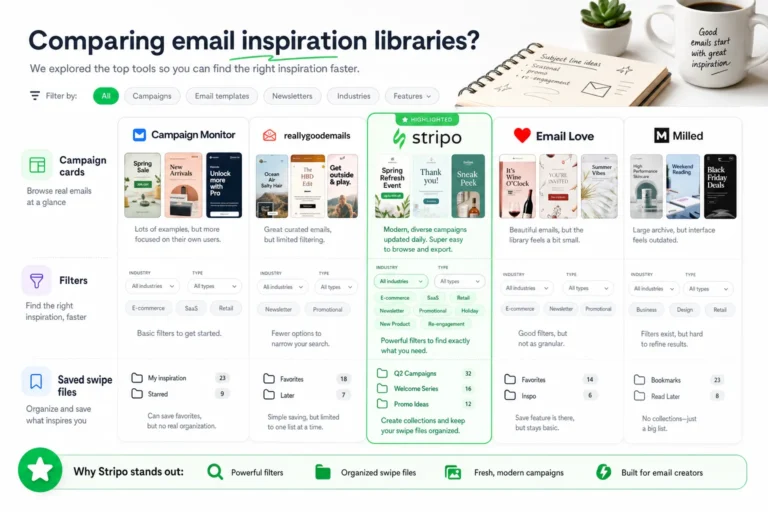
See also: email design inspiration libraries
This guide breaks down the top types of email design inspiration platforms, how to evaluate the examples you find, and how to turn saved ideas into modular, accessible, responsive campaign patterns for newsletters, promotional sends, and lifecycle automation.
Why email design inspiration matters beyond aesthetics
Email inspiration is often treated as a mood board exercise: collect designs that look polished, save them to a folder, and reference them when a new campaign brief arrives. That approach can be useful for visual direction, but it usually fails to improve execution. A screenshot does not tell you whether the email had a clear objective, whether the CTA performed well, whether the code held up across clients, or whether the design was accessible to a broad audience.
Good inspiration should help you make better design decisions. It should reveal how teams solve common email problems: introducing a new product, explaining a feature, promoting a sale, nurturing a lead, welcoming a subscriber, confirming an action, or reactivating an inactive customer. In each of these cases, the quality of the example depends on more than surface style.
When evaluating any inspiration platform, look for examples that help you study these elements:
- Visual hierarchy: The order in which the reader notices the headline, supporting copy, imagery, price, offer, and CTA.
- Typography: The relationship between headline size, body copy, line length, line height, contrast, and scannability.
- Layout structure: How the email uses hero sections, grids, cards, dividers, modules, and whitespace to create rhythm.
- CTA clarity: Whether the primary action is obvious, specific, and visually distinct from secondary actions.
- Accessibility signals: Sufficient contrast, meaningful text hierarchy, readable font sizes, and content that does not rely entirely on images.
- Responsive behavior: How the design might stack, crop, scale, or simplify on smaller screens.
- Campaign fit: Whether the design supports the actual intent, such as education, conversion, retention, or transactional clarity.
The most useful email design inspiration platforms make these qualities easy to observe. They allow you to compare examples by category, industry, campaign type, visual style, or lifecycle stage. They also support a repeatable process: save, tag, critique, adapt, test, and refine.
The best email design inspiration platforms to bookmark
The best place to find email examples depends on what you are trying to learn. A designer looking for newsletter layout ideas has different needs than a CRM manager redesigning an abandoned cart series or a growth team planning a seasonal promotional campaign. Instead of thinking only in terms of individual websites, it is more useful to understand the main categories of inspiration sources and what each one is best equipped to provide.
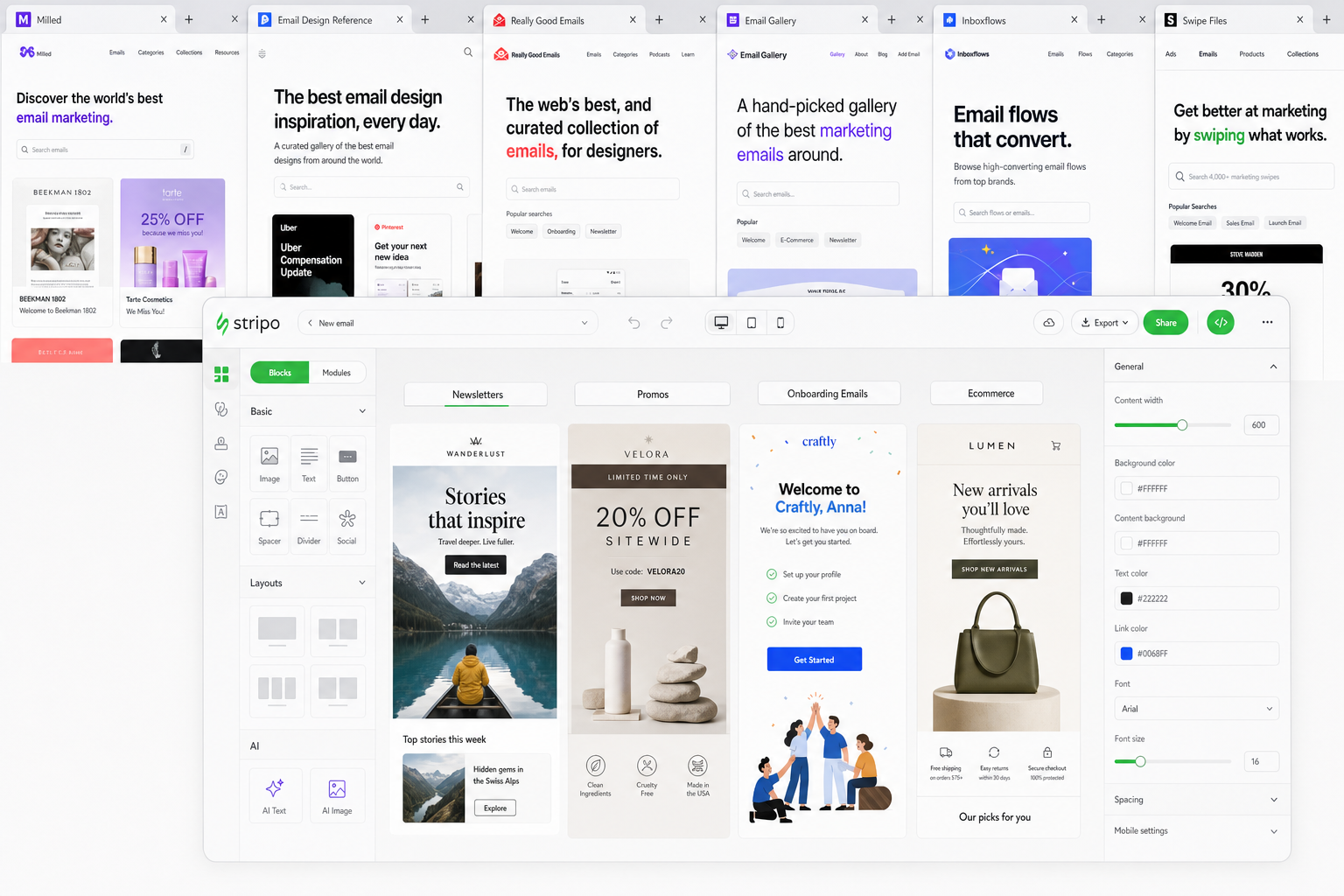
Curated email galleries
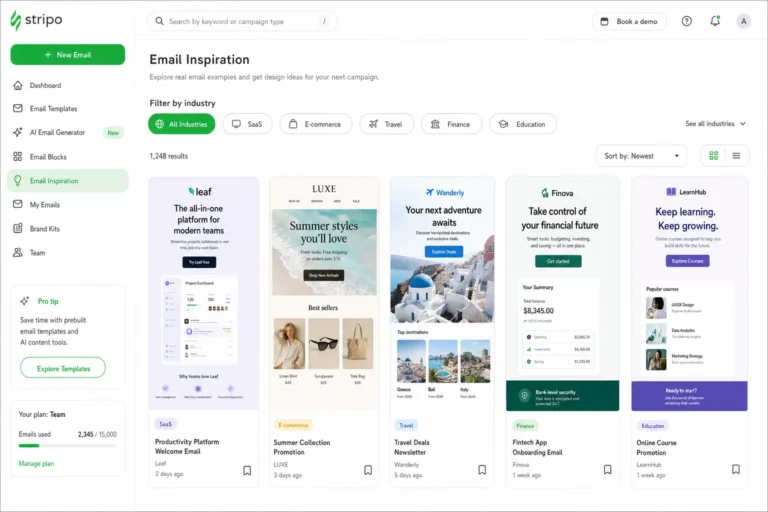
Curated galleries are often the fastest way to discover polished email examples across industries. They typically organize examples by design style, format, or campaign type, making them especially useful when you need quick references for visual hierarchy, modular layout, color use, typography, and CTA placement.
For newsletter work, curated galleries can help you compare editorial structures: single-column narratives, multi-story digests, product-led newsletters, community roundups, and founder-letter formats. For promotional campaigns, they show how teams frame offers, handle urgency, use hero imagery, and repeat CTAs without overwhelming the reader. For lifecycle flows, curated examples can reveal patterns for welcome emails, onboarding messages, winback campaigns, and post-purchase education.
The gap is that galleries often emphasize screenshots over context. You may not know the audience segment, send timing, test history, or performance. Treat them as design references, not proof that a specific layout will work for your list. Email Design Inspirations fits this category by focusing on useful ideas that can be translated into accessible, responsive campaigns rather than admired as isolated visuals.
Brand archives and inbox research
Brand archives, whether built through your own inbox subscriptions or saved team references, are useful for understanding consistency over time. A single email can show a design choice. A sequence of emails from the same sender can show a system: how the brand handles subject matter, seasonal pushes, feature announcements, retention messages, and transactional moments.
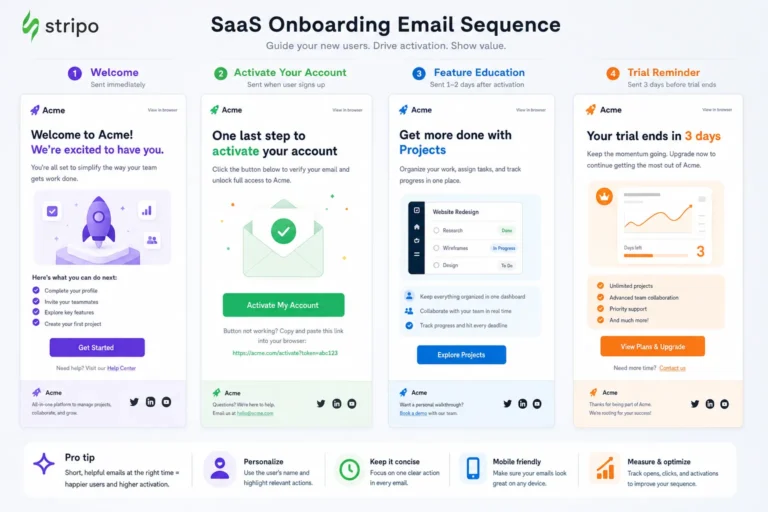
This category is especially helpful for lifecycle marketers because automated journeys rarely exist as one-off designs. Welcome series, onboarding flows, replenishment reminders, and loyalty campaigns depend on progression. By reviewing a brand archive, you can study how message complexity changes from one email to the next, how CTAs evolve, and how the visual system supports repeated contact without feeling identical every time.
The limitation is relevance. A strong brand archive may belong to a company with a different audience, price point, purchase cycle, or level of brand recognition. The design may be effective because of context you cannot see. Use archives to identify repeatable systems, not to imitate another company’s customer journey.
Email swipe files
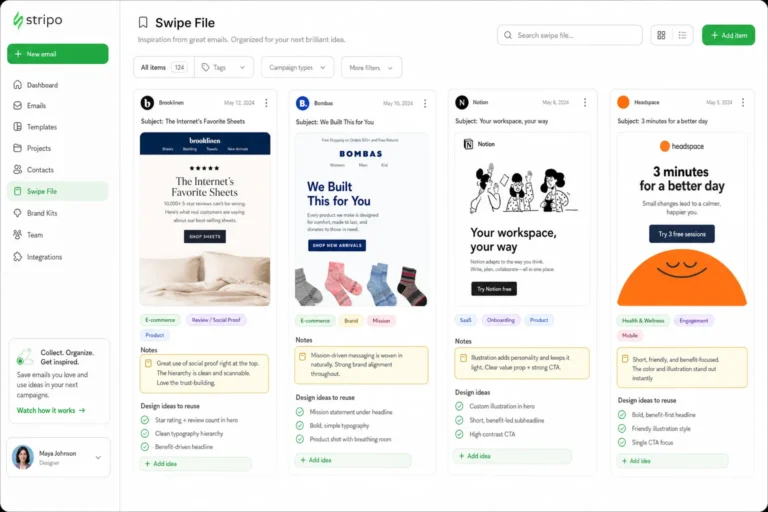
Swipe files are collections of examples saved for specific tactics: launch emails, discount announcements, referral pushes, reactivation messages, survey requests, webinar reminders, or product education. They are practical because they group emails by job-to-be-done rather than by visual style alone.
A well-maintained swipe file is valuable for copy and structure. It can help you compare opening hooks, offer framing, objection handling, CTA language, urgency mechanics, and proof elements. Designers can use swipe files to identify where the message needs visual support: a comparison table, a feature card, a testimonial block, a timeline, or a pricing module.
The risk is that swipe files can encourage formulaic work. If every promo email in your swipe file uses a large discount headline, countdown language, and a high-contrast CTA, it becomes easy to repeat the pattern even when your brand or audience needs a different approach. Use swipe files to understand strategic options, then adapt them to the real campaign brief.
Design communities and social platforms
Design communities are useful for trend discovery, critique, and alternative approaches. They can expose you to new illustration styles, animation ideas, typography pairings, layout experiments, and creative ways to handle dense content. They are also helpful when you want to understand what other designers are discussing: dark mode issues, accessibility standards, modular systems, or the tradeoffs between brand expression and email client support.
The drawback is that many community posts are conceptual or selectively presented. A design that looks excellent in a portfolio mockup may not be production-ready for email. It may rely on web fonts that are not widely supported, complex overlapping elements, image-heavy layouts, or interactions that do not translate well to inboxes. Treat design communities as a place for creative stimulation, then validate ideas against email-specific constraints.
Marketplace and tool-based libraries
Template marketplaces and email platform libraries can be useful when you need production-oriented patterns quickly. They often provide modular layouts for newsletters, ecommerce promotions, event announcements, onboarding, and transactional messages. Because these examples are closer to implementation, they can help teams think in terms of reusable sections rather than static artboards.
The tradeoff is sameness. Many templates are intentionally generic so they can fit many brands. If used without modification, they can weaken differentiation. The best use of marketplace and tool-based libraries is structural: study how sections are assembled, how columns stack, how CTAs are positioned, and how content modules can be rearranged. Then apply your own brand voice, visual system, accessibility standards, and campaign logic.
How to evaluate an email example before you save it
A saved example should earn its place in your inspiration library. If the only reason for saving it is that it looks attractive, it may not be useful when a deadline arrives. Before saving an example from any email design inspiration platform, evaluate what problem it solves and whether that problem matches a likely future use case for your team.
Start by identifying the campaign type. Is it a newsletter, product announcement, sale email, onboarding message, event invitation, transactional update, winback campaign, or customer education email? Campaign type shapes every design decision. A newsletter may need strong editorial hierarchy and repeatable content blocks. A promotional send may need immediate offer clarity. An onboarding email may need focused instruction and low cognitive load.
Next, identify audience intent. A subscriber who is casually browsing a newsletter is in a different mindset from a customer who needs to reset a password or a lead comparing solutions. Strong examples align the design with the reader’s likely motivation, objections, and level of familiarity. If the example assumes high brand trust or strong purchase intent, be careful about applying it to a colder audience.
Use this checklist before adding an example to your library:
- Objective: Can you identify the primary goal within a few seconds?
- Audience fit: Is the message designed for awareness, consideration, conversion, retention, or support?
- Structure: Does the email have a clear beginning, middle, and action point?
- Hierarchy: Are the most important elements visually dominant without crowding everything else?
- CTA strategy: Is there one primary CTA, and does the language clearly describe the action?
- Copy density: Is the amount of copy appropriate for the complexity of the message?
- Typography: Are text sizes, line lengths, and spacing likely to remain readable on mobile?
- Image treatment: Do images support the message, or does the email fail if images are blocked?
- Accessibility: Does the design appear to use adequate contrast and a logical reading order?
- Adaptability: Can the idea be translated into your brand system without copying distinctive creative assets?
Separating strong design choices from brand-specific choices is essential. A luxury brand may use sparse copy, muted colors, and subtle CTAs because its audience recognizes the value proposition immediately. A software onboarding email may use diagrams, annotations, and step-by-step modules because comprehension matters more than mood. A high-frequency publisher may rely on dense content cards because readers expect browsing depth. None of these approaches is universally correct.
For more context, according to Nielsen Norman Group offers additional background on this topic.
When reviewing an example, ask what would remain useful if the logo, colors, imagery, and product were removed. If the answer is a strong content hierarchy, a clear CTA pattern, a flexible module, or a smart way of reducing complexity, the example is worth saving. If the design depends entirely on a famous brand, expensive photography, or a highly specific campaign concept, save it only as a visual reference, not as a pattern to adapt.
Turning inspiration into usable design patterns
The most productive teams do not move directly from inspiration screenshot to finished campaign. They translate examples into reusable design patterns. A pattern is a repeatable solution to a recurring email problem: introducing a topic, featuring a product, comparing options, presenting an offer, summarizing articles, explaining steps, or closing with support content.
For example, a strong hero section can become a modular pattern with defined parts: eyebrow text, headline, short value statement, primary CTA, optional secondary link, and image area. A product grid can become a flexible card system with image, title, description, price or benefit, and CTA. A lifecycle education email can become a sequence pattern: problem statement, short explanation, visual example, action step, and help link.
Common patterns worth extracting include:
- Modular hero blocks: Useful for newsletters, launches, promotions, and onboarding messages when the first screen needs strong focus.
- Content cards: Useful for article roundups, product features, resource libraries, and event listings.
- Promo sections: Useful for discount framing, bundles, limited-time offers, and seasonal campaigns.
- CTA treatments: Useful for defining primary buttons, secondary links, repeated CTAs, and closing action blocks.
- Comparison modules: Useful for pricing, plan selection, feature education, or before-and-after messaging.
- Step-by-step blocks: Useful for onboarding, activation, setup instructions, and post-purchase guidance.
- Footer structures: Useful for compliance, preferences, support links, social proof, and brand reassurance.
When adapting inspiration for newsletters, prioritize repeatability and scanning. Newsletter patterns should make it easy to distinguish the lead story from secondary items, preserve consistent spacing between sections, and support both quick browsing and deeper reading. Avoid rebuilding the entire structure for every send unless the newsletter is intentionally editorial and bespoke.
For one-off promotional campaigns, prioritize offer comprehension. Inspiration should help you test different ways to frame value: percentage discount, bundle savings, limited inventory, new collection, free trial, bonus item, or deadline. The design pattern should make the offer, eligibility, and action unmistakable. Decorative elements should support urgency or desirability without hiding the terms.
For automated journeys, prioritize consistency and progression. A welcome series, onboarding flow, or winback sequence should feel connected from one message to the next. Inspiration can help you vary modules while preserving a shared system: similar header treatment, predictable CTA placement, consistent typography, and a stable footer. This reduces production time and helps subscribers recognize the relationship between messages.
The key is pattern extraction, not imitation. Document the underlying structure in plain language. Instead of saving an example as “copy this layout,” save it as “single-focus hero with short benefit copy and one CTA,” or “three-card educational module for explaining features.” That shift makes your inspiration library more useful to designers, copywriters, strategists, and developers.
Filter inspiration through real-world email constraints
Email design does not live in a perfect canvas. It lives inside inboxes with inconsistent rendering, blocked images, dark mode transformations, limited CSS support, accessibility requirements, and distracted readers. That is why inspiration must always be filtered through production realities before it becomes part of a campaign or template system.
This is a useful place to include an authoritative citation later about accessibility, email client support, or responsive design best practices. The practical point is simple: a visually impressive example is only valuable if the idea can be implemented in a way that remains readable, usable, and on-brand across the environments your subscribers actually use.
Dark mode is a common example. A design that depends on a light background, subtle gray text, or transparent logos may change dramatically when an email client adjusts colors. Before adopting a pattern, consider whether logos need dark mode-safe versions, whether background colors are defined clearly, and whether text contrast remains acceptable.
Outlook and other rendering quirks also affect layout decisions. Complex overlapping elements, background images with live text, unconventional spacing, and intricate multi-column arrangements can create production risk. This does not mean every email must be plain. It means that ambitious design choices should be reserved for moments where the value justifies the testing and fallback work.
Image blocking is another constraint. Many beautiful emails rely heavily on photography, product renders, or text embedded in images. If the core message disappears when images are off, the design is fragile. Strong patterns use live text for key headlines, offers, prices, and CTAs whenever possible. Images should enhance comprehension and desire, not carry the entire message alone.
Performance matters as well. Heavy imagery, oversized GIFs, and excessive modules can slow loading and increase friction, especially on mobile connections. Inspiration platforms often show the final visual, not the file weight or loading experience. When adapting an idea, simplify where necessary. Use fewer images, compress assets, reduce unnecessary decoration, and make sure the email still communicates quickly.
Accessibility should be part of the evaluation from the beginning, not a final compliance pass. Look for readable type sizes, sufficient contrast, descriptive link and button text, logical content order, and a design that does not rely only on color to communicate meaning. An accessible email pattern is easier for more people to use and usually clearer for everyone.
Expert rule: If an inspiration example cannot be made readable on mobile, understandable without images, and clear to someone scanning in five seconds, it is not ready to become a production pattern.
A workflow for building an inspiration library that actually improves campaigns
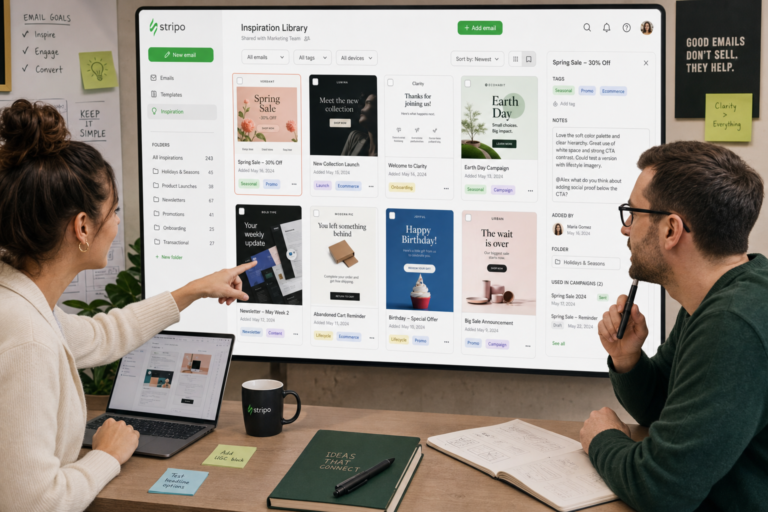
An inspiration library becomes valuable when it changes how your team makes decisions. A folder of screenshots is passive. A tagged, reviewed, and tested library is an operating system for better email design. The workflow does not need to be complicated, but it does need ownership and cadence.
Start by collecting examples from a mix of sources: curated galleries, brand archives, swipe files, design communities, and template libraries. Save the full email when possible, not only the top section. Many useful patterns appear below the hero: product education blocks, social proof sections, preference prompts, support modules, and footer treatments.
Tag each example by practical use case. Helpful tags include campaign type, lifecycle stage, industry, layout pattern, CTA approach, content density, visual style, and accessibility notes. For example, an email might be tagged as “welcome,” “single CTA,” “education,” “two-column desktop,” “mobile stack,” and “strong live text.” These tags make the library searchable when a real brief appears.
Build a short critique habit into your process. During campaign planning or design reviews, choose two or three relevant examples and discuss what can be adapted. Avoid vague comments like “this feels premium” or “this looks clean.” Instead, name the mechanism: “The headline is short enough to pair with a large product image,” “The CTA is repeated after the proof section,” or “The cards work because each one has the same content structure.”
Map strong examples to your template system. If your team repeatedly saves emails with editorial cards, build a flexible card module. If you often admire onboarding emails with numbered steps, create a step module. If promotional references consistently use a strong offer band under the hero, define a promo band pattern with rules for copy length, color, and CTA placement.
Then test variations in live sends. Inspiration should lead to hypotheses: a shorter hero may improve clarity, a stronger CTA label may reduce hesitation, a simplified product grid may improve mobile scanning, or a more educational welcome email may support activation. Not every design change needs a formal experiment, but the team should connect inspiration to observable campaign outcomes whenever possible.
Maintain the library with a simple cadence:
- Weekly: Save notable examples from current inbox research or curated platforms.
- Monthly: Review new saves as a team and promote the most useful ones into a shared reference set.
- Quarterly: Prune stale examples, update tags, and identify patterns that should become template modules.
- After major campaigns: Add your own successful patterns and note what was learned during design, build, and testing.
Include your own sent campaigns in the library as well. External inspiration is useful, but your best future reference may come from a campaign your team already adapted, coded, tested, and shipped. Document what changed from the initial inspiration, what constraints shaped the final design, and what you would improve next time.
The strongest email teams treat inspiration as a disciplined input, not a shortcut. They collect widely, evaluate carefully, extract patterns, and apply them through accessible, responsive systems. Explore the curated examples on Email Design Inspirations, then use the framework above to turn saved inspiration into clearer, more accessible email templates for your next newsletter, promotional send, or lifecycle automation.